
How to Search Danbury Court Records
The main entry point is the Connecticut Judicial Branch Case Look-up landing page. It routes Danbury users to separate searches for Superior Court civil, family, housing, small claims, criminal, motor vehicle, appellate, and docket records. Civil and family matters tied to the Danbury Judicial District use the civil inquiry system. Criminal and motor vehicle matters use the criminal and motor vehicle lookup menu. Probate is separate, and Danbury Probate Court records use the statewide Probate Court tools.
Choose the search path by record type first. For a civil lawsuit, divorce, custody case, foreclosure, or small claim, use the civil and family lookup and select the Danbury Judicial District when that is known. For a criminal case, pending motor vehicle matter, conviction display, daily docket, or warrant, use the criminal and motor vehicle menu. If the record began as a police report or arrest log, the Danbury Police Records and Property Division may be the right starting point before a court case exists.
- Open the Judicial Branch case lookup menu and select the court record category that matches the case.
- For civil or family records, search by party name or docket number and use the Danbury Judicial District location where appropriate.
- For criminal or motor vehicle records, search pending cases, convictions, daily dockets, or docket number tools from the criminal menu.
- Review the docket number, court location, case type, parties, events, and available document options before treating the result as the right case.
- Contact the Clerk of the Superior Court at 146 White Street when older records, certified copies, sealed-file questions, or non-displayed documents are needed.
The Superior Court civil, family, housing, and small claims lookup is the source for the image below.
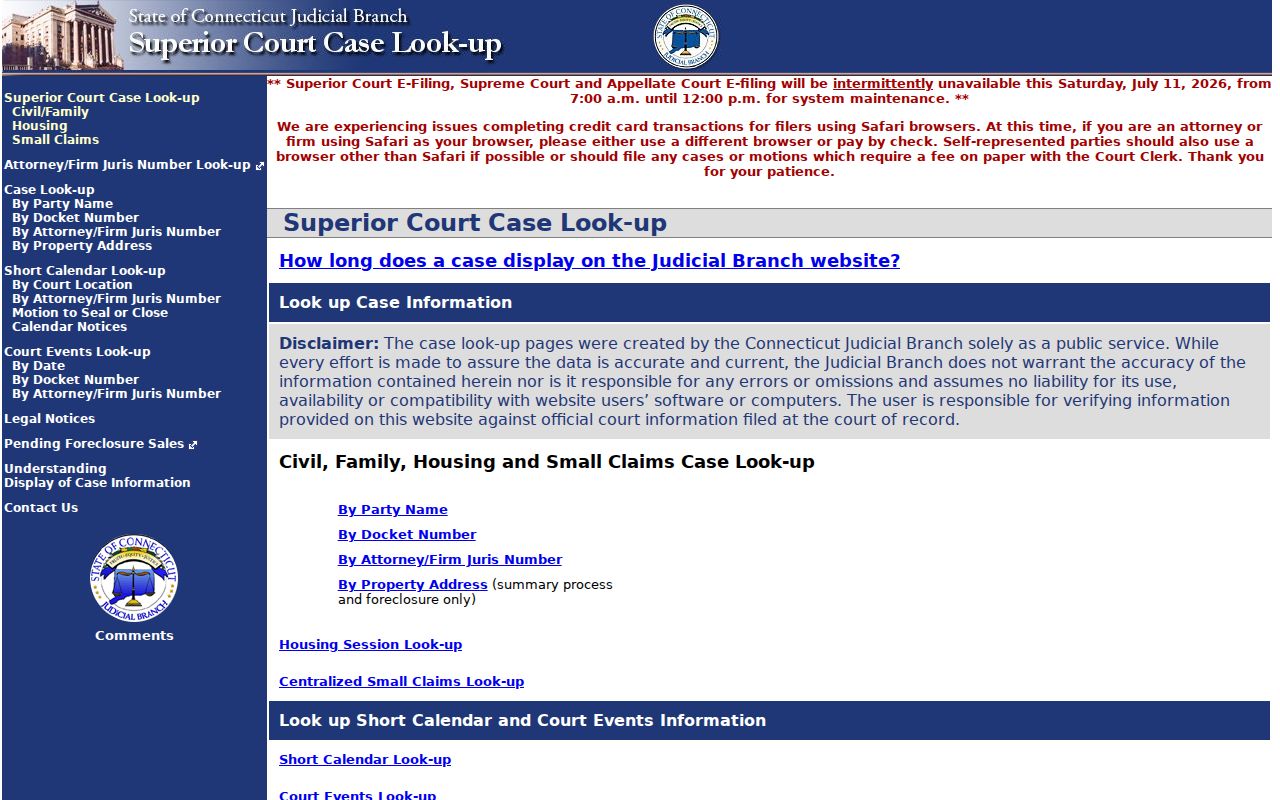
This portal matters for Danbury because the civil and family case path uses Judicial Branch location codes rather than a city clerk search screen.
Danbury Court Records Search Fields
The civil and family party search can be broad or narrow. A last name is required, but first name, case category, case type, location, sort order, and name-search type help reduce false matches. Danbury civil and family searches can use the DBD-Danbury JD location option. If a case might be outside Danbury, select All and confirm the court location in the result before ordering copies or relying on a docket event.
| Field Label | Type | Required | Notes / Format |
|---|---|---|---|
| Party Last Name | Text | Yes | Maximum length 54; hints are available from the portal. |
| Party First Name | Text | No | Maximum length 50. |
| Location | Dropdown | No | Includes All, DBD-Danbury JD, and UIFSA location 653-Danbury - UF. |
| Case Category | Dropdown | No | All, CV, or FA. |
| Case Type | Dropdown | No | Includes dissolution, custody, foreclosure, contracts, small claims, torts, probate appeals, and more. |
| Name Search Type | Radio | Yes | Starts With, Contains, Is Equal To, or Sounds Like. |
The civil and family party name search is the source for the screenshot below.
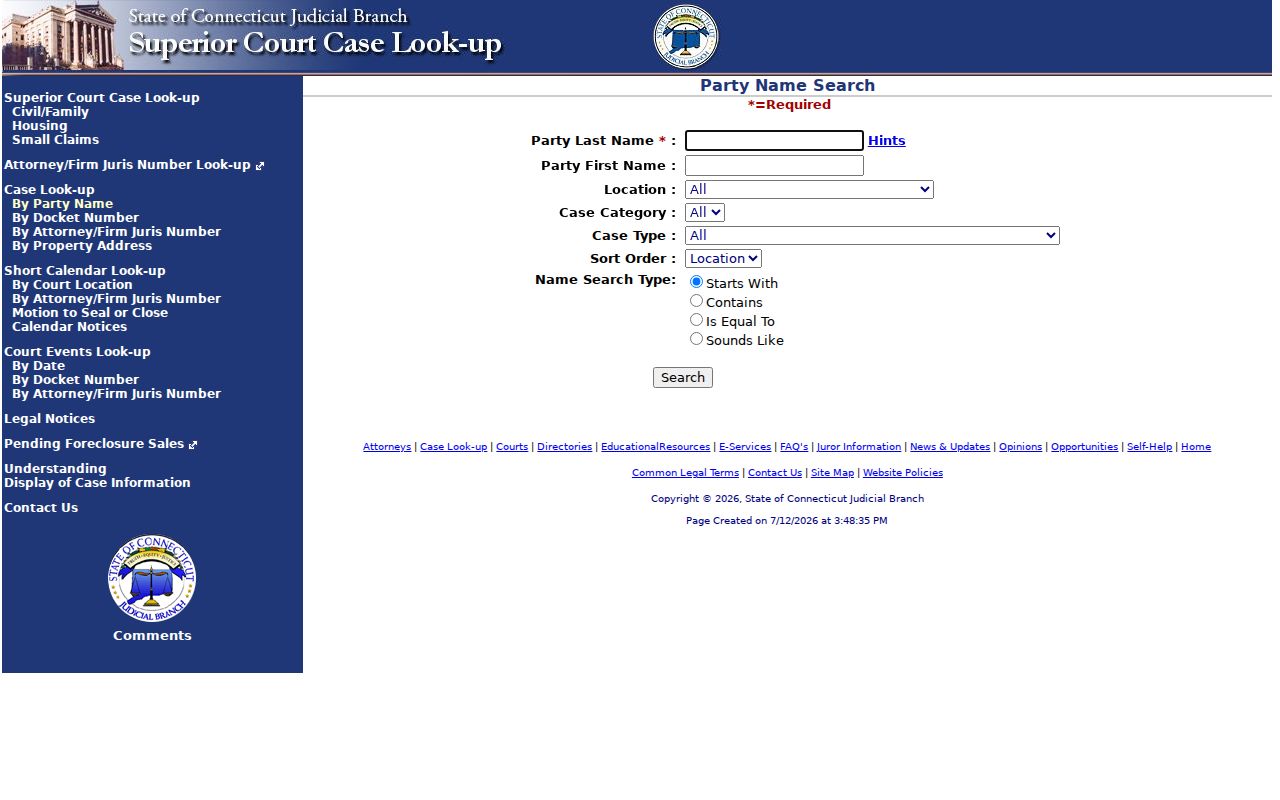
The field mix shows why a Danbury case search should be filtered by location only after the user knows the case belongs in the Danbury Judicial District.
Danbury Court Docket Number Search
A docket number search is more exact than a party-name search. Danbury civil and family docket numbers use a location code such as DBD, a category such as CV or FA, a two-digit year, a seven-number sequence, and the suffix S. The docket form lets the user enter the parts of the number or a full docket number. Hyphens are allowed in the full docket-number field, but the separate year and number fields should not include hyphens.
Leave the party information option checked if the goal is to see parties and appearances. Use the motions, pleadings, and documents dropdown to show all, none, or the last ten documents. The case record may not show every underlying document online, and certified copies may still require the clerk. For date-by-date activity, hearing entries, and calendar events, the Danbury court dockets page gives a closer look at docket tracking.
The official civil and family docket number search is the source for this capture.
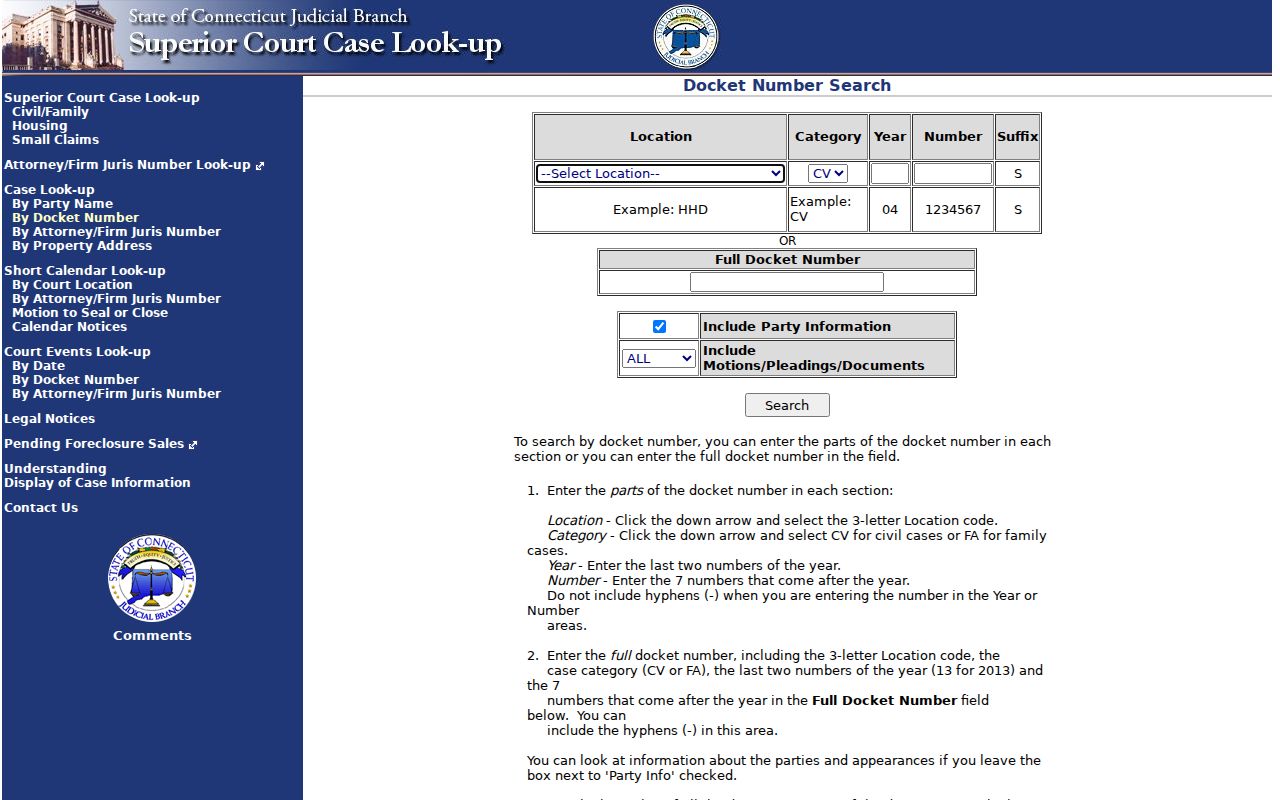
The docket-number screen is useful when a summons, notice, motion, or prior search result already gives the exact case identifier.
Types of Danbury Court Records
Danbury records split across several systems. Superior Court civil records can include complaints, appearances, returns of service, motions, orders, judgments, executions, settlements, and appellate activity. Family records include divorce, legal separation, annulment, custody, visitation, parentage, support, foreign matrimonial judgments, and relief from physical abuse. Criminal records include arrest-to-arraignment events, charges, pleas, dispositions, sentencing, bond, warrants, continuances, and court dates.
Some records that affect a person's court search are not court files. Danbury Police keeps accident reports, incident reports, arrest records, permits, criminal history request material, and arrest logs. The Town Clerk keeps marriage, vital, land, election, seal, and city record functions. DMV driver histories are separate from court motor vehicle files. Probate Court keeps estate and trust matters in its own statewide system.
- Civil records: lawsuits, foreclosures, collections, contracts, tort claims, administrative appeals, and judgments.
- Family records: divorce, custody, support, parentage, and relief from physical abuse filings.
- Criminal records: charges, arraignment, pleas, disposition, sentence, bond, and court dates.
- Motor vehicle records: court-handled traffic and motor vehicle matters, not the same as DMV driver histories.
- Probate records: decedent estates, trusts, guardianships, conservatorships, and related probate filings.
- Police records: arrest logs and reports that may lead to, but do not replace, a court case file.
The Judicial Branch Geographical Area Court staff directory is the source for the image below.
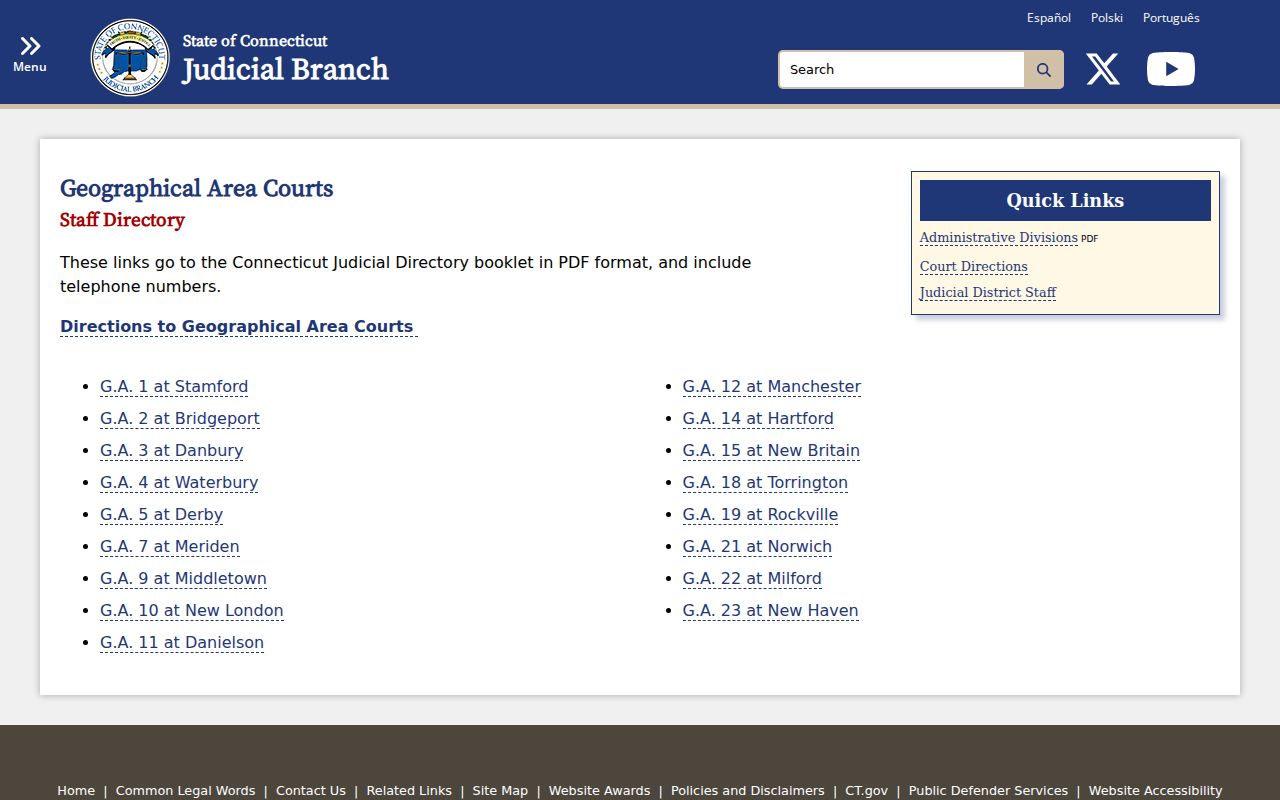
G.A. 3 at Danbury is important because many criminal and motor vehicle records start or appear there before the user sees a full case path.
What Danbury Court Records Show
A court record is a file and a timeline. The fields tell where the case sits, who is involved, what has been filed, what the court has ordered, and whether the matter is pending or resolved. Civil and family records use docket events, party details, appearances, motions, pleadings, orders, judgments, and short-calendar activity. Criminal records focus on the defendant, docket or case number, charges, court, status, next court date, disposition, and sentence when publicly shown.
| Field | What It Shows |
|---|---|
| Docket number | Location code, case category, year, sequence number, and suffix used to find the file. |
| Court location | Danbury Judicial District for civil/family or D03D-Danbury G.A. 3 for criminal/motor vehicle matters. |
| Parties | Plaintiff, defendant, applicant, respondent, or criminal defendant names depending on case type. |
| Appearances | Attorneys or self-represented parties of record, including juris number references where available. |
| Case type | Codes such as dissolution, foreclosure, small claims collection, relief from physical abuse, or motor vehicle tort. |
| Docket events | Filings, motions, pleadings, orders, court events, judgments, and available document lists. |
| Disposition | The outcome of a claim, charge, or case when a public result is available. |
The Judicial Branch Judicial District staff directory is the source for this image.
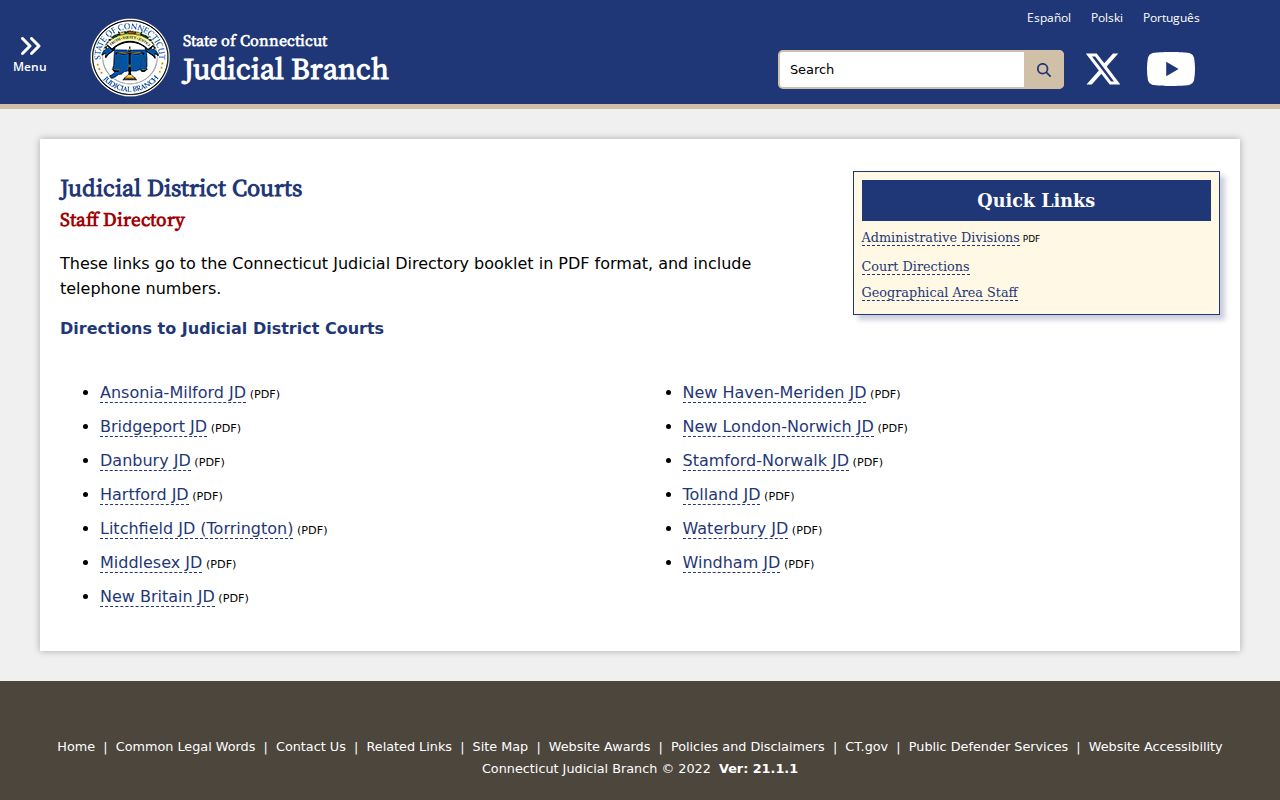
Staff directory pages help confirm that Danbury court records are handled through Judicial Branch offices, not a local county clerk office.
Public Access for Danbury Court Records
Public access starts with the Judicial Branch lookup tools, then moves to the clerk when a record is not online. Connecticut Freedom of Information Act provisions, including C.G.S. 1-210 and 1-212, set the broad public-records framework for public agency records. Court records also follow court rules, including Practice Book provisions on public access, sealing, and closure. A public-records law does not override sealed files, erased criminal records, juvenile confidentiality, or protected personal identifiers.
For city records, the Town Clerk and Police Department use Connecticut FOIA request practices. For court records, the first practical step is usually the online Judicial Branch lookup. The second step is clerk contact at 146 White Street for older files, certified copies, document access, sealed-file questions, or records that require in-person review. For probate records, use the Connecticut Probate Courts case lookup and then Danbury Probate Court contact if the matter is not fully displayed.
Note: Absence from an online lookup does not prove that no Danbury record exists, especially for restricted or older files.
The Connecticut Probate Court procedure and fee statutes are the source for this image.
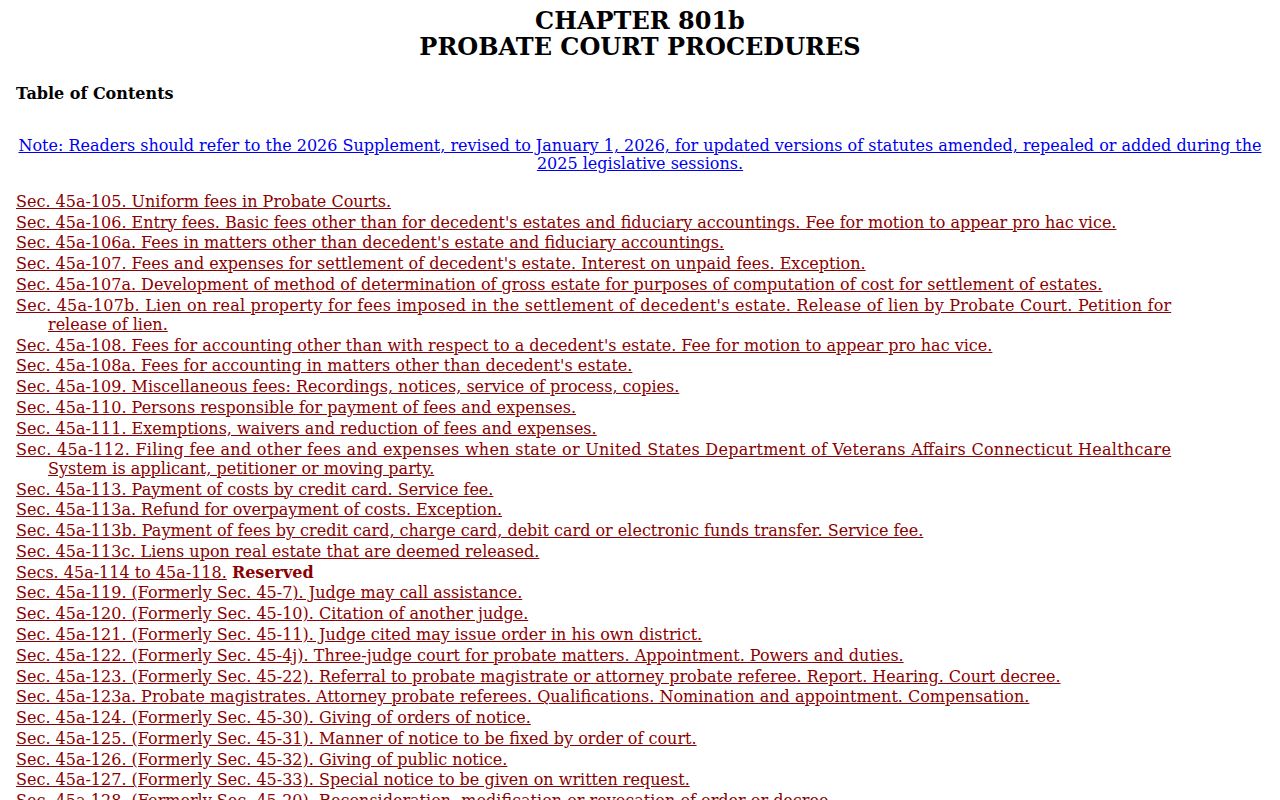
Probate statutes are relevant because probate records are part of Danbury public-record access, but they do not use the same portal as Superior Court cases.
Restricted Danbury Court Records
Several Danbury record categories are not shown in ordinary public results. Juvenile cases and Youthful Offender cases are excluded from public criminal and motor vehicle conviction displays. Infraction and violation convictions are also not shown in that conviction display. Erased criminal records under C.G.S. 54-142a are no longer treated as public criminal history when they qualify. Sealed motions and documents require court procedures and findings before public access is limited.
Family records may show case captions and events while limiting financial affidavits, child-sensitive material, sealed filings, and victim-sensitive information. Probate files involving mental health commitments or other protected matters can also be restricted. Police arrest logs should not be read as final court outcomes because charges may be changed, dismissed, nolled, erased, or resolved later in court. For the full criminal case path after charges are filed, use the Danbury criminal court records page.
Danbury Court Record Requests
In-person and phone channels matter when a public lookup is incomplete. The Superior Court clerk counter at 146 White Street is the practical source for Danbury Superior Court files, certified court copies, older records, and clerk questions. Danbury Probate Court at 155 Deer Hill Avenue handles probate matters. The Danbury Town Clerk at 155 Deer Hill Avenue handles vital and city records, while the Danbury Police Records and Property Division at 375 Main Street handles police incident, accident, arrest, permit, and criminal history request records.
Clerk of the Superior Court
146 White Street
Danbury, CT 06810
203-207-8600
Public Record Search
Sponsored Results